Document Control
Draft compliance documents with AI, keep every version under control, and export them beautifully branded - all in one place.
Write your quality manuals, procedures, risk assessments and tender responses in one place, with AI to draft them, version control and approval built in, and branded export to Word or PDF.
Keep the right document connected to the work it governs
Document Control is where your compliance documents get written, reviewed and approved - quality manuals, procedures, risk assessments, tender responses. AI drafts them from what your organisation already knows, your team shapes and signs off, and the finished document is versioned, controlled and audit-ready.
Structured authoring and the Document Vault do two different jobs and connect at the point of approval. Authoring is where controlled content is written and approved; the vault is where files live with their metadata, versions, access and language coverage. Approved information then links out to the requirements it covers, the training that depends on it and the everyday quality work that uses it.
AI does the drafting, your team stays in control
A built-in AI assistant drafts sections from your existing knowledge and suggests improvements as you write, so you start from a running draft instead of a blank page. Your team reviews and approves every change and owns the final sign-off. Approval publishes a locked, immutable version and captures which requirements it covers.
What it looks like
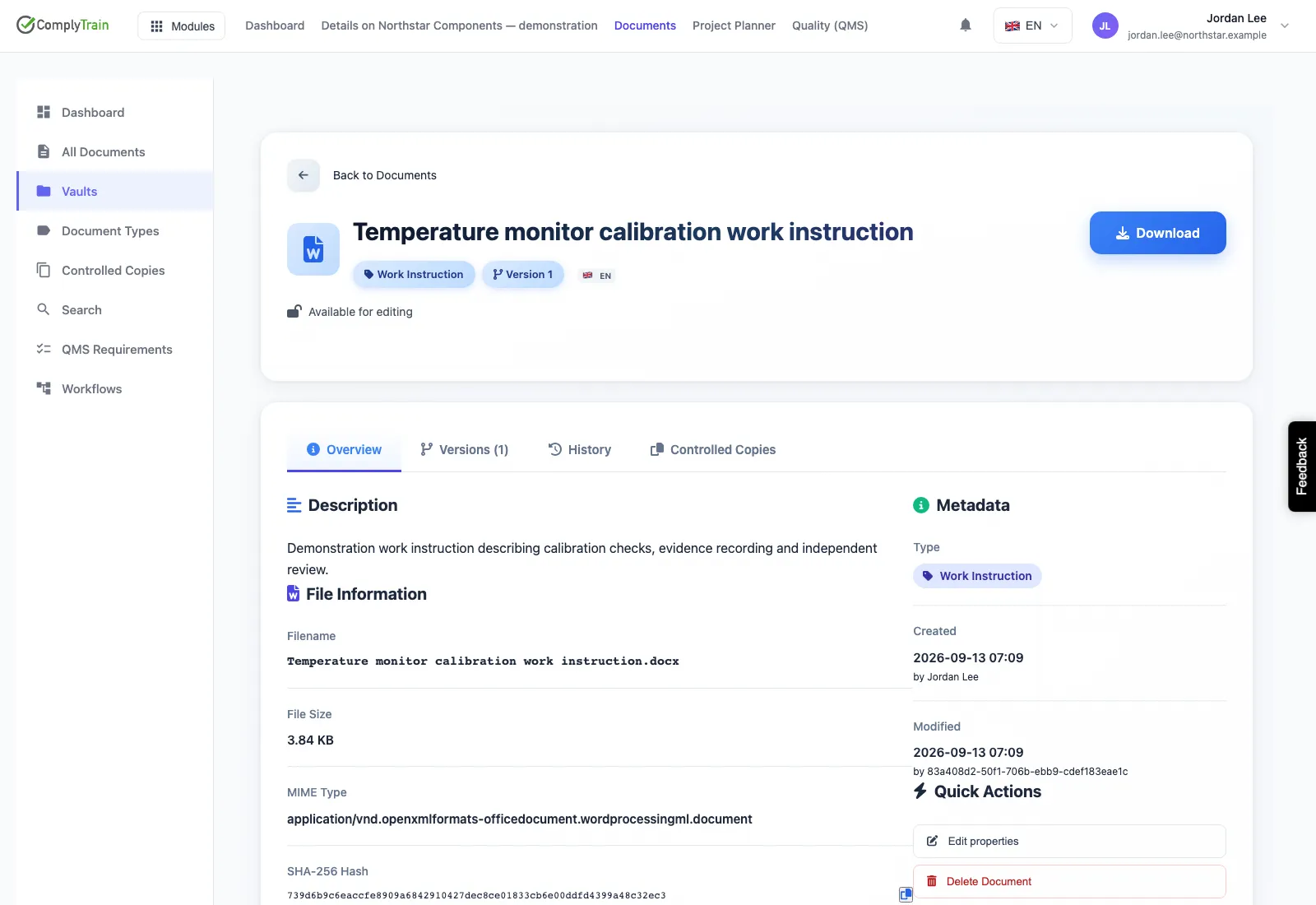
Keep the file, its metadata and version controls together. Uploading a file records its identity and version; it does not by itself mean the content is approved.
Use cases
Let AI write the first draft
Ask AI to draft a section from what your organisation already knows, or have it complete the parts you have not filled in - a running start instead of a blank page, with your team shaping and approving the result.
Controlled procedures
Work instructions and procedures stay under revision control, with the current approved version unmistakable and the full history there for the audit.
Sign-off you can prove
Approvals and read-and-understood acknowledgements are captured as electronic signatures against a specific version - the evidence, on the record.
Send it looking the part
Export any document to branded Word or PDF - your logo, your colours and a proper table of contents - ready to hand to a customer, an auditor or a tender.
Everything a compliance document needs, in one place
AI drafting
Draft and refine your documents with AI, from what your organisation already knows - your team shapes and approves.
Version control & sign-off
Every version tracked, every approval signed, the audit trail built in - so you can always show what was approved, and when.
Branded export
Polished Word and PDF in your own brand, with a real table of contents - ready to send.
Version history
Know which version the decision used
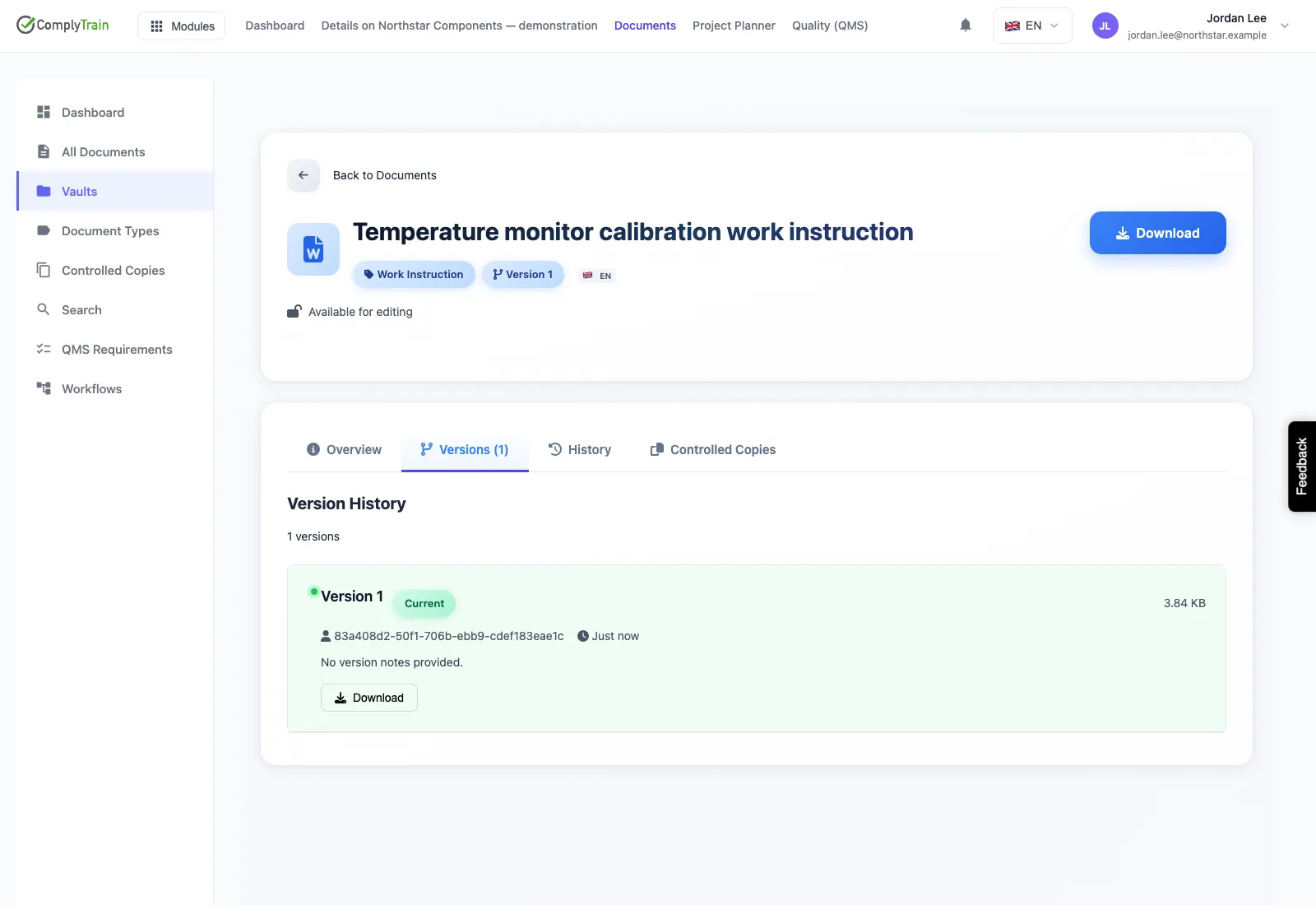
Every file in a vault keeps its version history, and you can open the exact recorded version rather than trusting a filename. That matters wherever a decision has to be explained later: the evidence attached to an audit finding, the procedure a training acknowledgement was tied to, the specification a product change was reviewed against.
Version history and approval are deliberately separate things. The history above shows the recorded file versions; approval of controlled content happens in structured authoring, where sign-off is captured as an electronic signature against a specific version. Both are on the record, and they answer different questions.
- Open the recorded version, not the one somebody hopes is current
- Training and evidence links pin to a version, so the record shows what was in force
- Document locking while someone is working on a file
Distribution and languages
Keep distribution and language coverage visible
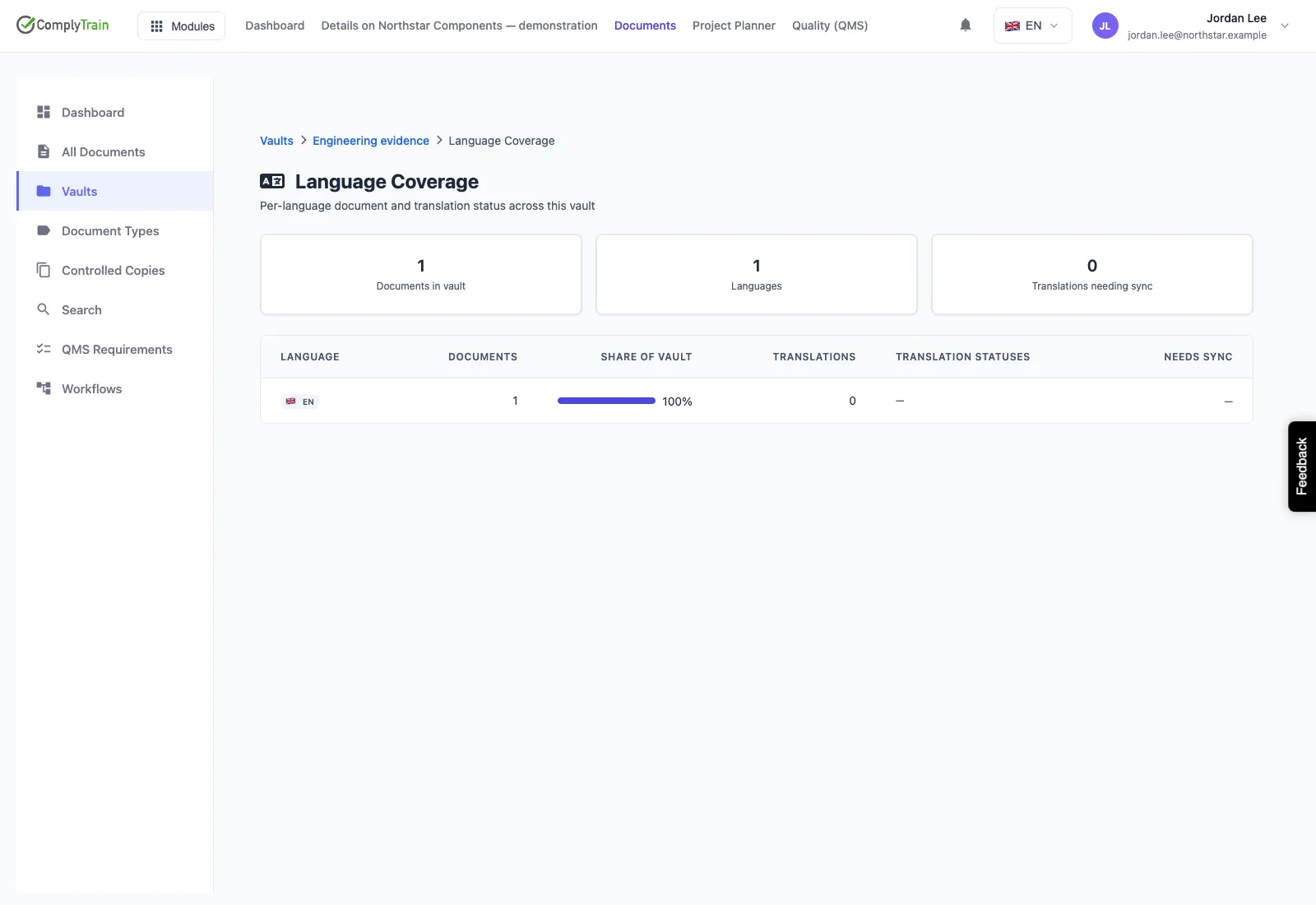
A vault shows which languages a document actually exists in, so a gap is something you can see rather than something you discover when a site asks for a procedure in its own language.
Controlled copies, access grants and translations are tracked separately from indexing and synchronisation status, because who is allowed to read a document and whether a system has finished processing it are different facts. Language coverage reports what is present; it does not imply a translation has been reviewed.
- See which languages are present in a vault, and which are missing
- Controlled-copy records and access grants held per document
- Access rights kept distinct from indexing and synchronisation status