
Reporting & Analytics
Eight built-in reports across every module, scheduled, delivered, and filed where the evidence lives.
Reports that draw from every module, scheduled and delivered to email, a document vault or a webhook. The compliance picture is a view you open rather than a document somebody rebuilds each quarter.
Bring compliance information into a report people can act on
Reporting runs across the modules your organisation actually uses - quality, risk, training, stakeholders and tenders - so a management pack is assembled from live records rather than from five exports and a spreadsheet.
The catalogue offers report definitions for the modules you have enabled. Beyond those, a builder composes a report from reusable generators, corporate templates keep the output consistent, and a schedule decides when a report runs and where it goes.
What it looks like
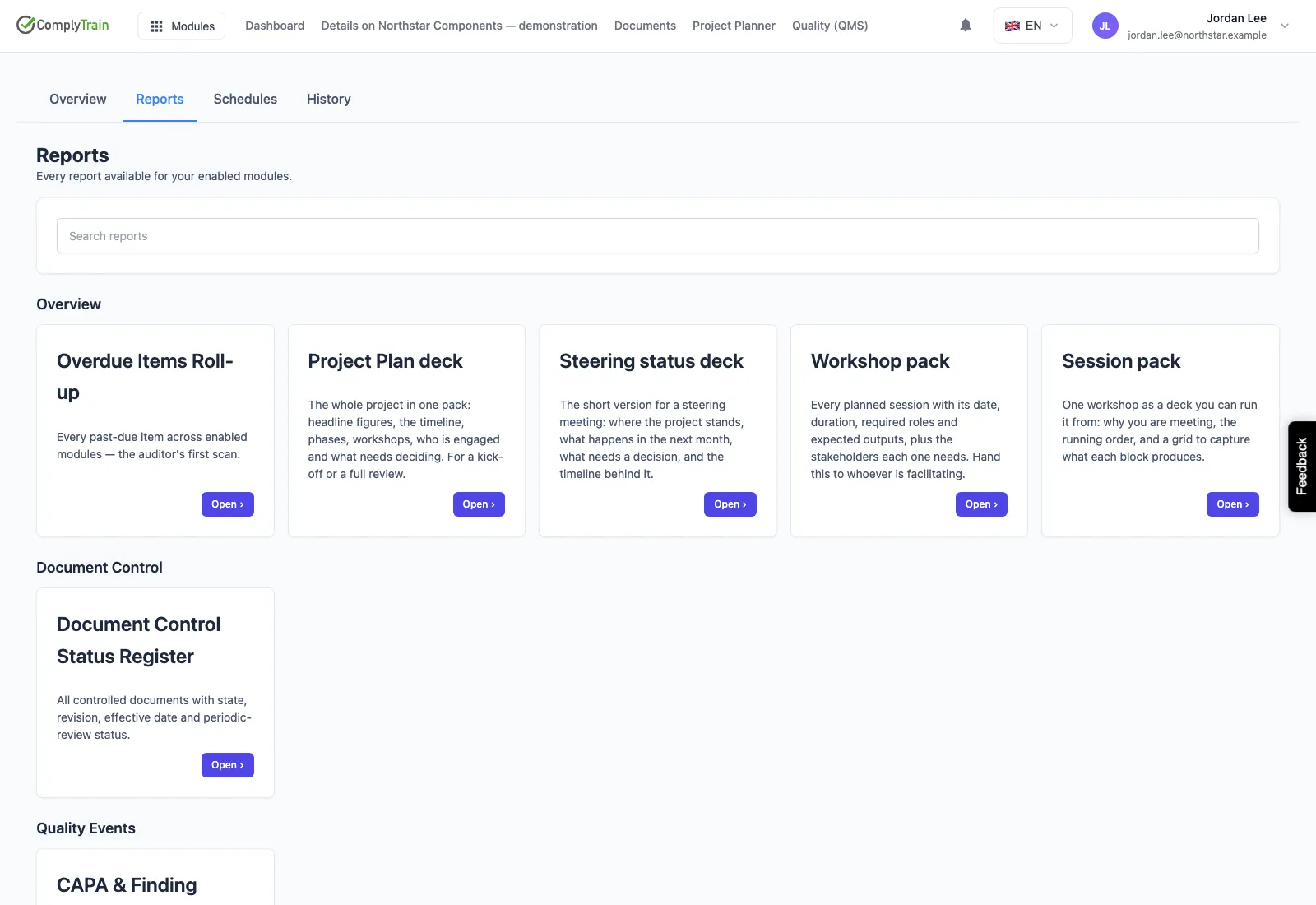
Choose reports across the modules your organisation uses. These are the report definitions available to run, not previously generated exports.
Use cases
Management review inputs
The inputs ISO 9001 expects - audit results, nonconformities, actions, risks - are already collected by the modules that produced them, so the pack is assembled rather than researched.
Board-level assurance
Leadership gets a current view of compliance health, rendered into your own PowerPoint template, on a schedule, without a data-gathering exercise beforehand.
Evidence that files itself
A scheduled report is delivered straight into a document vault, where it is versioned and controlled like any other record - so the report is evidence, not an email attachment.
Answering a customer audit
A customer asks for training compliance or supplier performance. Both are built-in reports with defined KPIs, produced on demand rather than compiled overnight.
See it on your own processes
Eight built-in reports
Overdue items, document control status, CAPA and finding aging, audit programme status, training compliance, risk register, supplier performance and tender win/loss.
Defined KPIs, not loose numbers
Each report declares its module gate, the permissions needed to view it and the definitions behind its figures, so the same report means the same thing to everyone.
Custom reports with live preview
Author your own from a component catalogue, validated as you build, previewed before anyone schedules it.
Scheduling that respects timezones
Runs planned and queued, with snapshots kept, so a monthly report lands when it should rather than when a server happens to wake up.
Delivered into the vault
Email, file, webhook, or filed directly into a document vault where the report becomes controlled evidence under retention.
Your board pack, your template
PowerPoint rendering using your own template and fonts, so what reaches the board looks like it came from you.
Custom reports
Compose a report from reusable generators
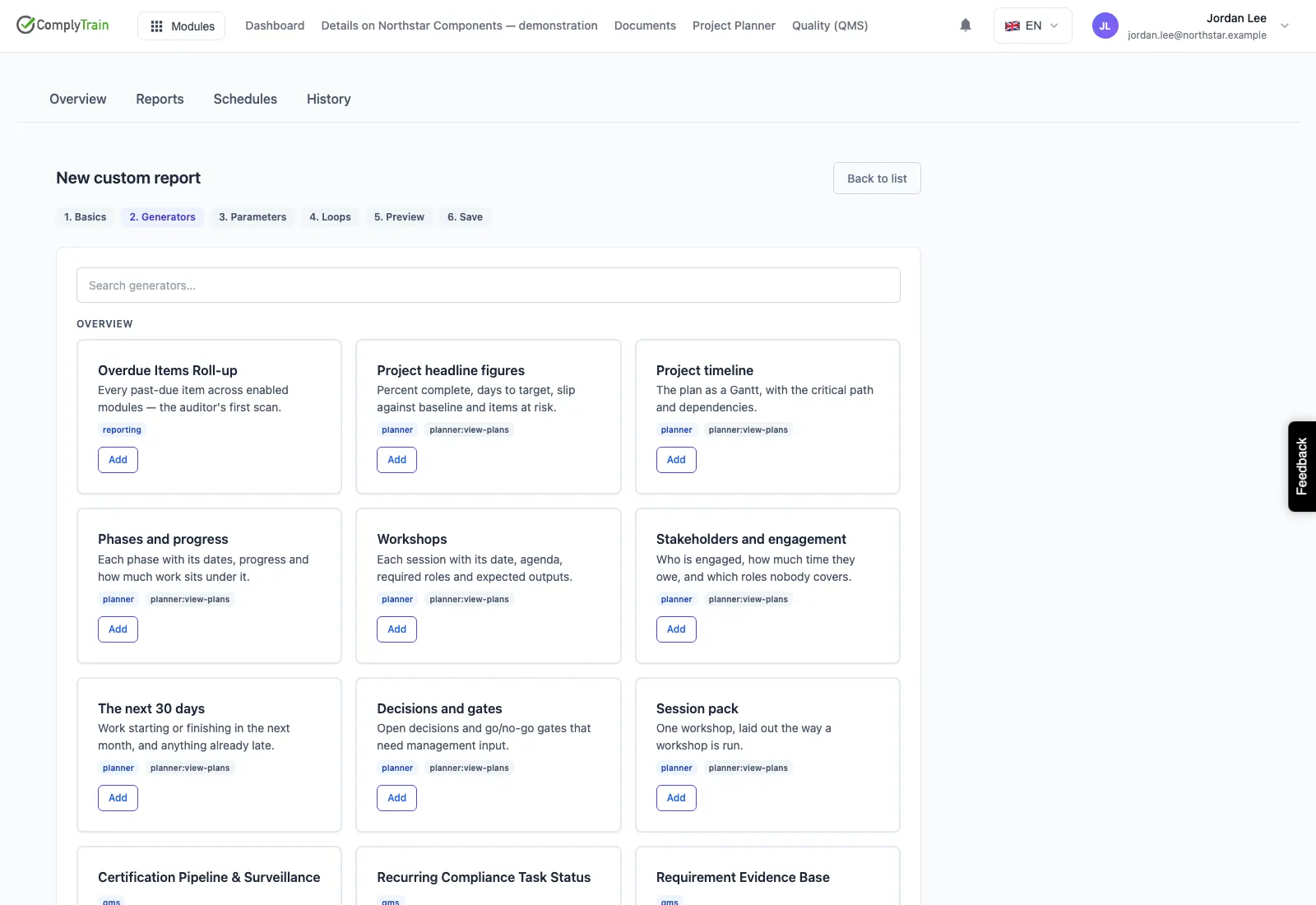
When a standard report is not the shape you need, the builder assembles one from generators - each a supported block of content over a particular kind of record. You choose the generators, the order and the filters, and apply a corporate template so the result looks like your organisation's reporting rather than a tool's default.
The builder above is at generator selection, an unsaved composition rather than a produced report. A saved definition can then be run on demand or attached to a schedule.
- Reusable generators over quality, risk, training, stakeholder and tender records
- Corporate templates for consistent branding and structure
- Saved definitions that can be re-run rather than rebuilt
Scheduling
Decide when it runs and where it goes
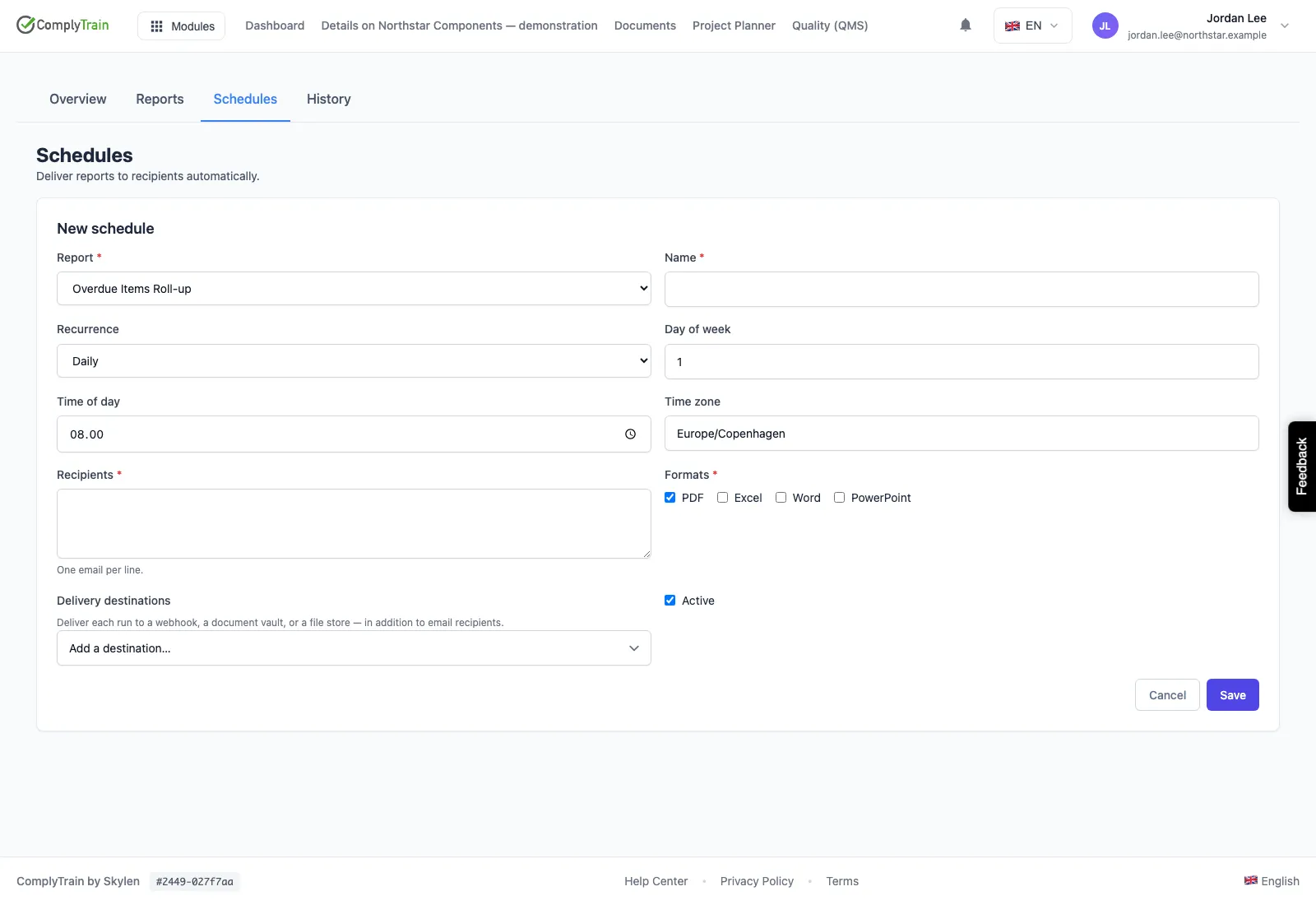
Recurring management work is a schedule, not a reminder. A report definition can be set to run on a cadence and delivered to the people who need it, which is what keeps a monthly quality pack or a quarterly risk summary from depending on somebody remembering.
The form above is a schedule being created: no recipients are configured and no report has been sent from it. Delivery destinations are whatever the schedule is actually given, and are worth describing in exactly that scope.
- Run a saved report on a cadence rather than on request
- Delivery to the recipients a schedule names
- Supports recurring management review and governance reporting