Forms & Follow-up
Collect information the same way every time, and decide in advance what happens next.
Build reusable forms with the sections, field types and required data the job needs, then set explicit rules that turn a submission into tasks, approvals, evidence or a reviewed risk or corrective action.
Turn a completed form into the next accountable action
Forms are how structured information gets collected consistently: inspections, checks, returns, reviews. A form template defines the sections, the field types, what is required and which reusable choices apply; a submission is a record made against that template, and the two are deliberately different things.
The part that matters is what happens afterwards. Output rules make the follow-up explicit, so a result that needs attention creates the work rather than depending on whoever read it.
What it looks like
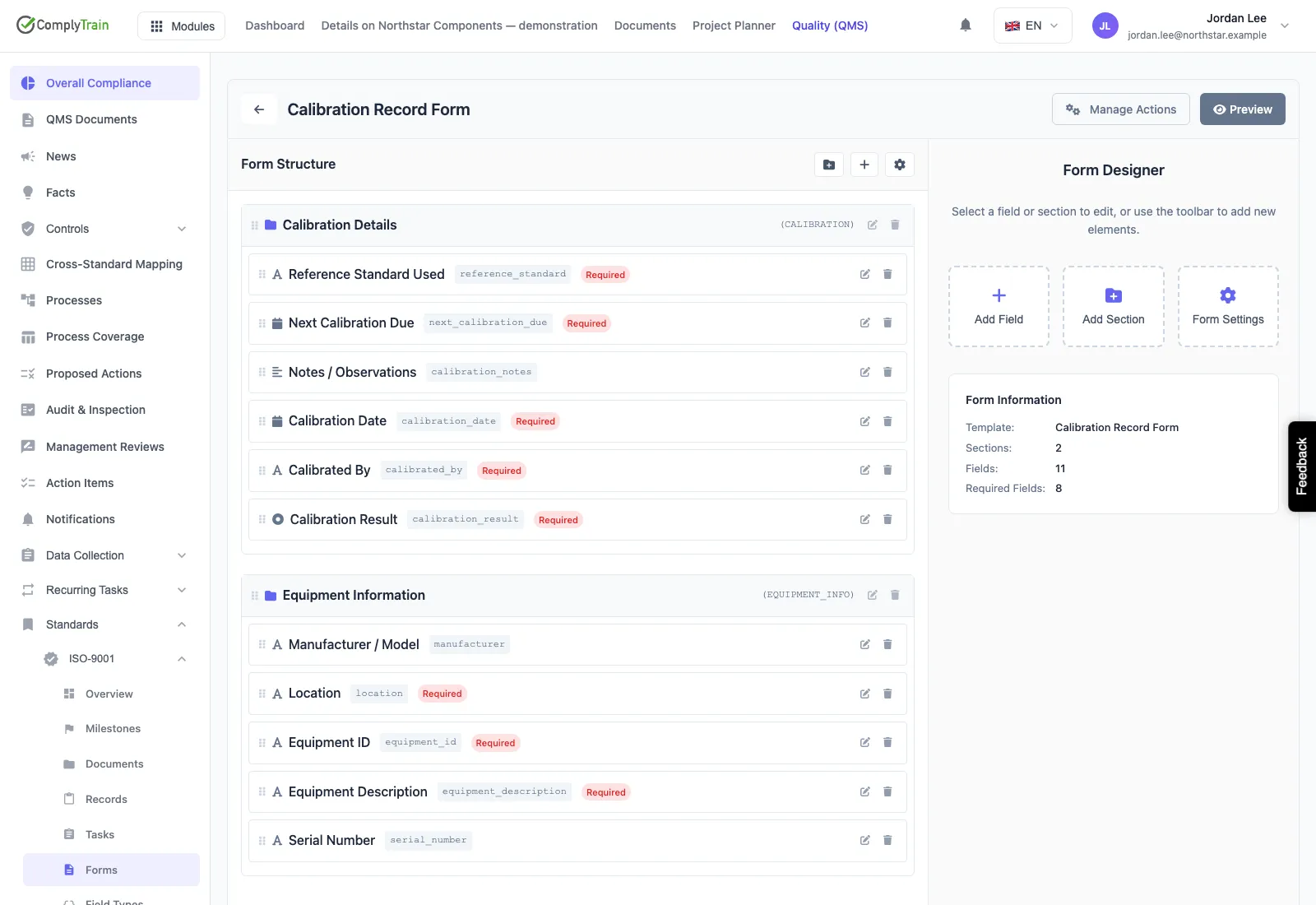
Design structured forms with sections, field types and required data. This is the form template being authored, not a submitted record.
Use cases
A failed inspection that does not get lost
An inspection records a fail. The output rule raises the corrective action, notifies the owner and creates the task, in the order you defined.
The same check, asked the same way
A reusable template keeps sections, field types and choice lists consistent, so results can be compared across sites and months.
Evidence that connects
A submission links to the evidence, risk or corrective action it belongs with, so a form result can be followed later.
Collect it consistently, then act on it
Reusable templates
Sections, field types, required data and reusable choice lists, so the same check is asked the same way each time.
Drafts and submission
A saved draft is not a submitted record. Validation runs at submission and the record is retained as made.
Rules for what happens next
Conditions on field codes decide what follows, in a defined order, with the mapping written down.
Approval gates
Where a submission needs approving, the gate is part of the flow and rejection behaviour is defined.
Task creation
A rule can raise the task that does the follow-up work, assigned to whoever should carry it.
Connected records
Submissions link to evidence, risks and corrective actions, so a form result is not a dead end.
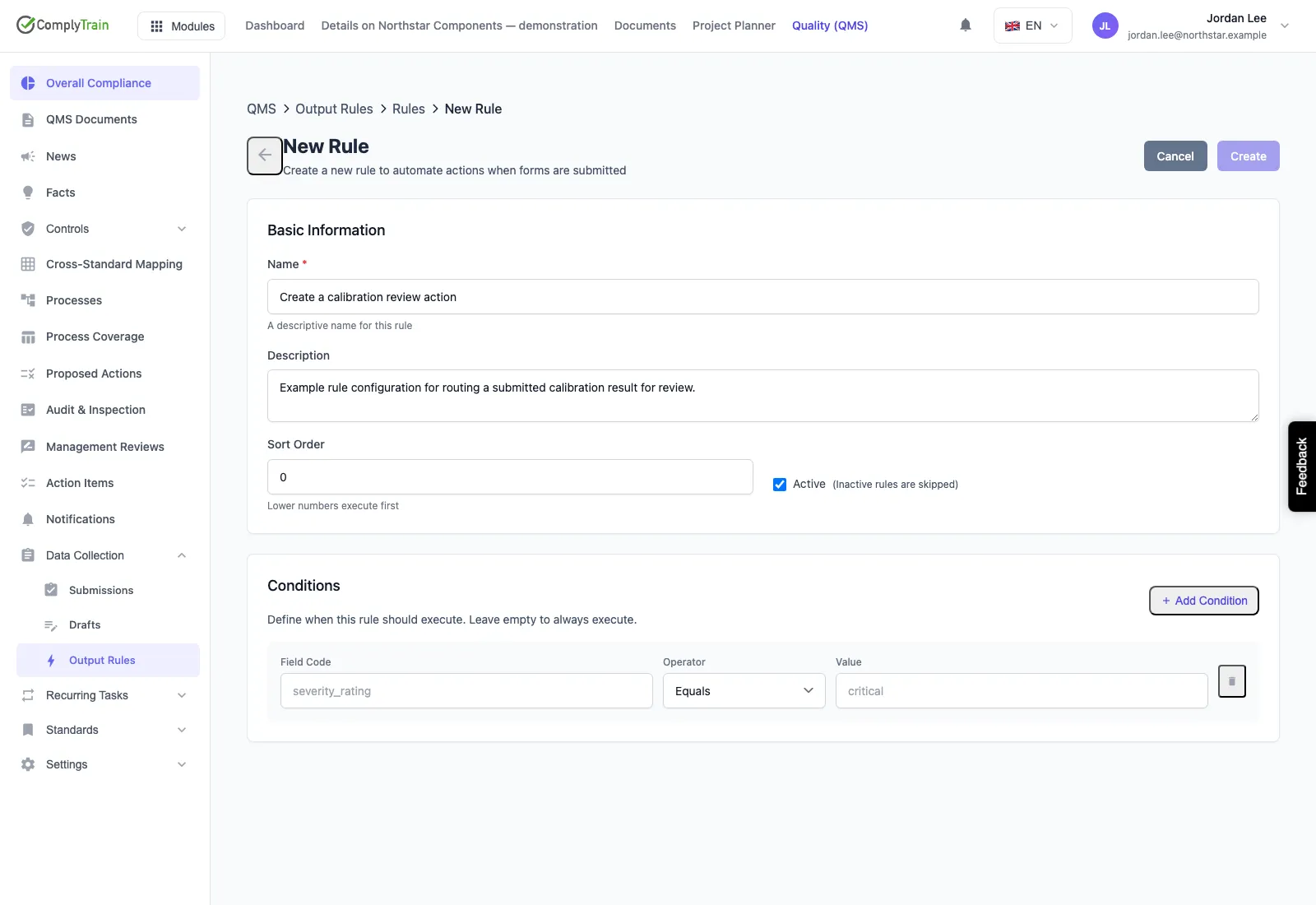
Rules after submission
Make the follow-up conditions visible
An output rule reads the answers by field code, applies a condition and produces an action, and the rules run in an order you set. A failed inspection result can raise a corrective action or a risk for review, notify the people who need to know, and create the task that closes it out.
What a rule produces is work for a person, not a conclusion. A rule that raises a risk raises it for review; approval gates and rejection behaviour are configured, and not every submission creates every possible downstream record. The editor above is an unsaved configuration example.
- Conditions on field codes, with an explicit action order
- Actions mapped to tasks, notifications, risks or corrective actions
- Approval gates with defined rejection behaviour
- A raised risk or CAPA arrives for review, not pre-accepted